
How to Register a Domain Name in 5 Easy Steps (2026 Guide)
If you're planning to launch a website in 2026, one of the first and most important steps is registering a domain name. Whether you're starting a blog, building an online store, creating a portfolio, or launching a business website, your domain name becomes your digital identity.
For many beginners, the domain registration process can seem confusing. Questions like "How do I register a domain?", "Which domain registrar should I use?", and "How much does a domain purchase cost?" are extremely common.
The good news is that registering a domain name is easier than ever. With the right guidance, you can secure your ideal website domain in just a few minutes.
In this complete 2026 guide, we'll walk through the entire domain registration process step by step. You'll learn how domain registration works, how to choose the right domain registrar, what to look for when making a domain purchase, and how to avoid common mistakes.
What Is Domain Registration?
Domain registration is the process of reserving a unique website address on the internet.
When you register a domain name, you're purchasing the rights to use that web address for a specific period, typically one year or longer.
Examples of registered domains include:
- example.com
- amazon.com
- wikipedia.org
- yourbusiness.com
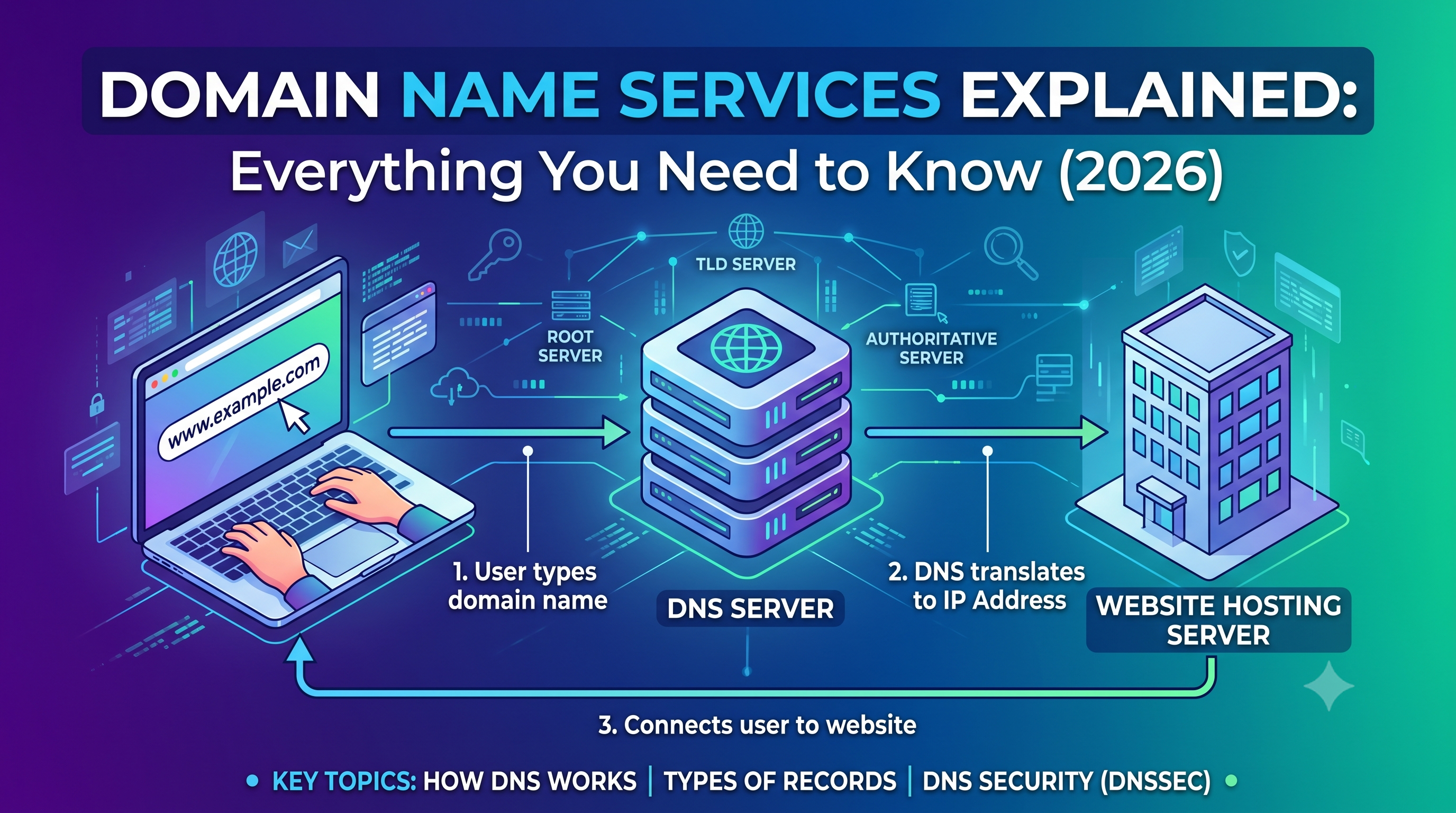
Without domain registration, visitors would need to remember numerical IP addresses instead of easy-to-remember website names.
Simple Analogy
Think of your website as a house.
- Your web hosting is the land where the house sits.
- Your website files are the structure.
- Your domain name is the street address people use to find it.
Without a domain name, finding your website becomes much more difficult.
Why Choosing the Right Domain Name Matters
Your domain name impacts branding, trust, marketing, and long-term growth.
Benefits of a Good Domain Name
- Builds brand recognition
- Creates a professional appearance
- Improves memorability
- Supports marketing campaigns
- Increases user trust
- Provides a consistent online identity
A great domain name can become one of your most valuable digital assets.
How Domain Registration Works
Before we get into the five steps, it's helpful to understand what happens during a domain registration.
When you register a domain, a domain registrar records your ownership rights within the global domain name system.
This prevents other people from registering the same domain while your registration remains active.
Key Components Involved
- Domain registrars
- ICANN-accredited registries
- DNS infrastructure
- WHOIS records
- Nameservers
Fortunately, modern domain registrars handle all of the technical details for you.
Step 1: Choose the Perfect Domain Name
The first step is selecting a domain name that aligns with your goals and brand.
Characteristics of a Good Domain Name
- Short and memorable
- Easy to spell
- Easy to pronounce
- Brandable
- Relevant to your business or website
Best Practices
- Avoid numbers
- Avoid hyphens
- Avoid complex spellings
- Keep it under 15 characters when possible
- Think long-term
Examples of Strong Domains
- growthpilot.com
- brightmedia.io
- marketguide.ai
Examples of Weak Domains
- best-online-marketing-business-services-2026.com
- mysite12345.net
- seo-expert-cheap-services-online.org
The simpler the domain, the easier it is for visitors to remember and share.
Step 2: Check Domain Availability
Once you've chosen a domain name, the next step is determining whether it's available for registration.
Since millions of domains are already registered, your first choice may not always be available.
What to Do If Your Domain Is Taken
- Try a different extension
- Add a branding term
- Use a shorter variation
- Create a unique business name
For example:
- yourbrand.com
- yourbrand.co
- getyourbrand.com
- tryyourbrand.com
Avoid using trademarked terms or copying existing brands.
Step 3: Select the Right Domain Extension
A domain extension, also known as a Top-Level Domain (TLD), appears at the end of a domain name.
Most Popular Domain Extensions
- .com
- .org
- .net
- .co
- .io
- .ai
- .app
When to Choose .com
The .com extension remains the most recognized and trusted option for most businesses and websites.
When Alternative Extensions Make Sense
- .io for technology companies
- .ai for artificial intelligence businesses
- .app for software products
- .org for nonprofits
Your extension should match your brand and audience expectations.
Step 4: Register Through a Domain Registrar
Once you've selected an available domain name, it's time to complete your domain purchase through a domain registrar.
A domain registrar is a company authorized to sell and manage domain registrations.
Popular Domain Registrars in 2026
- GoDaddy
- Namecheap
- Porkbun
- Dynadot
- Cloudflare Registrar
- Hover
What to Look for in a Domain Registrar
- Transparent pricing
- Free WHOIS privacy
- Easy DNS management
- Strong security features
- Reliable customer support
During registration, you'll provide account information and select your registration period.
How Much Does a Domain Purchase Cost?
Most domain purchases cost between $10 and $30 per year, depending on the extension and registrar.
Premium domains may cost significantly more if they're highly desirable.
Step 5: Configure Your Domain for Website Setup
After registration, you'll need to connect your domain to your website.
This is where website setup begins.
Common Website Setup Tasks
- Connecting web hosting
- Updating nameservers
- Configuring DNS records
- Setting up email services
- Installing SSL certificates
Your hosting provider will typically provide nameserver information that you'll add to your domain settings.
Once DNS updates propagate, your website becomes accessible through your new domain.
Enable Domain Security Immediately
One of the biggest mistakes beginners make is neglecting domain security.
Your domain controls your online identity, making it a valuable target for attackers.
Recommended Security Features
- Two-factor authentication (2FA)
- Domain lock
- WHOIS privacy protection
- Strong passwords
- Account recovery methods
These simple steps can prevent domain hijacking and unauthorized transfers.
Monitor Domain Expiration Dates
After completing domain registration, it's essential to monitor renewal dates.
If a domain expires, your website, email services, and connected applications may stop functioning.
Website owners should regularly use a domain expiry checker to verify expiration dates and ensure critical website domains remain active.
Why Domain Expiration Monitoring Matters
- Prevents website downtime
- Protects business operations
- Prevents domain loss
- Maintains email functionality
- Protects brand assets
You can also use a domain expiration checker tool to review registration information and renewal timelines.
Common Domain Registration Mistakes to Avoid
Choosing a Difficult Domain Name
Complex names are harder to remember and promote.
Ignoring Renewal Settings
Always enable automatic renewal whenever possible.
Skipping Privacy Protection
Protect your personal information from public WHOIS databases.
Using a Poor Registrar
Choose reputable domain registrars with strong security and support.
Buying Without a Long-Term Plan
Select a domain that can grow with your brand over time.
Frequently Asked Questions
Can I Register a Domain Without Hosting?
Yes. Domain registration and web hosting are separate services.
Can I Transfer My Domain Later?
Yes. Most domains can be transferred between registrars after registration.
How Long Does Domain Registration Take?
The registration process usually takes only a few minutes.
Can Someone Else Register My Domain?
Once your registration is complete and active, nobody else can register the same domain.
How Can I Check My Domain Renewal Date?
You can use a check domain expiration date tool to view expiration and registration details.
Final Thoughts: Registering a Domain Name in 2026
Domain registration is one of the most important steps in building an online presence. Your domain becomes the foundation of your brand, website, and digital identity.
By following these five simple steps—choosing a domain name, checking availability, selecting an extension, registering through a trusted domain registrar, and completing your website setup—you can secure a professional web address with confidence.
Remember to prioritize domain security, enable automatic renewals, and regularly monitor expiration dates using a domain expiration checker. These practices help protect your investment and ensure long-term website stability.
With the right domain name and proper management, you'll be well-positioned for online success in 2026 and beyond.



