Short answer: Buffer is the easiest LinkedIn scheduler for profiles and company pages. Taplio and Supergrow are built for personal-brand creators, with AI writing and LinkedIn-specific analytics. SEO Runway publishes to LinkedIn alongside Facebook and Instagram, and suits businesses and agencies that run social next to SEO and Ads.
Disclosure: SEO Runway is our product. We ranked it using the same criteria as every other tool, and noted where others do better.
Quick picks
- Easiest: Buffer
- Best for personal brands: Taplio
- Best AI LinkedIn writer: Supergrow
- Best LinkedIn next to SEO and Ads: SEO Runway
- Best post formatting: AuthoredUp
LinkedIn scheduling tools compared
| Tool | Profile vs page | Formats | Analytics | AI | From |
|---|---|---|---|---|---|
| Buffer | Both | Text, image, video, documents* | Yes | Yes | Free / ~$6* |
| Taplio | Profile-focused | Text, carousels | Deep | Yes | See site* |
| Supergrow | Profile-focused | Text, carousels | Yes | Yes | See site* |
| SEO Runway | [verify] | Text, photo, video | No (FB/IG only) | AI month plan | $39 |
| Hootsuite | Both | Most | Yes | OwlyWriter | ~$99* |
| Sprout Social | Both | Most | Deep | Yes | ~$199* |
| Publer | Both | Most | Yes | Yes | Free / ~$12* |
| Metricool | Both | Most | Yes | Yes | Free / ~$22* |
| SocialPilot | Both | Most | Yes | Yes | ~$30* |
| AuthoredUp | Profile | Text formatting, drafts | Yes | Partial | See site* |
*Approximate; verify format support per tool.
How we chose these tools
We compared each tool's published features, plans and documentation on five criteria: personal profile vs company page support, formats (carousels and documents), analytics, AI writing, and price.
1. Buffer: easiest
Verdict: simple LinkedIn scheduling for profiles and pages, with a free plan.
Pros: ease.
Cons: lighter LinkedIn analytics.
2. Taplio: best for personal brands
Verdict: LinkedIn-only creator tool with AI, inspiration and analytics.
Pros: LinkedIn depth.
Cons: LinkedIn only.
3. Supergrow: best AI LinkedIn writer
Verdict: AI drafting tuned for LinkedIn posts and carousels.
Pros: AI writing.
Cons: LinkedIn only.
4. SEO Runway: best LinkedIn next to SEO and Ads
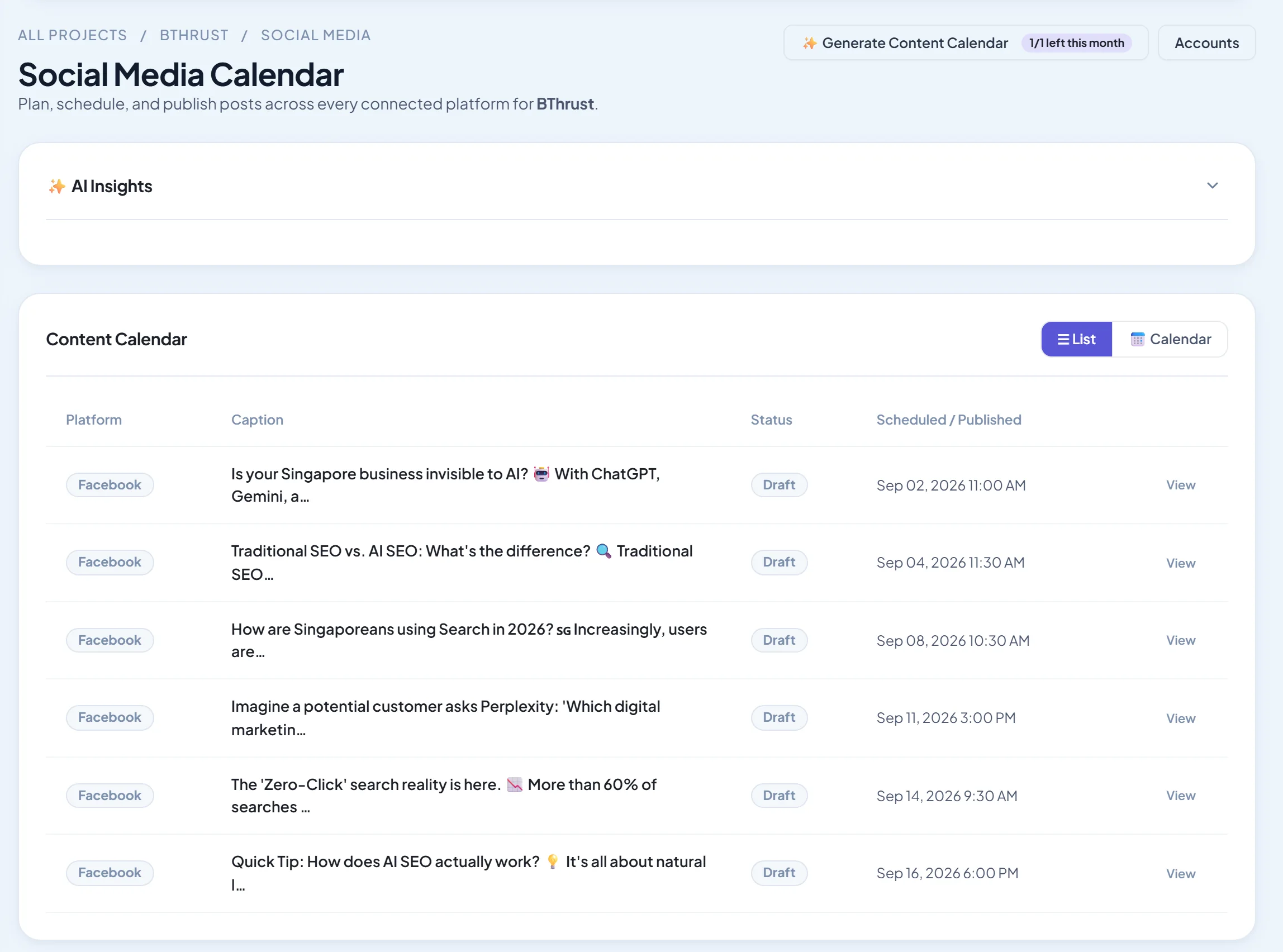
Verdict: publish now or schedule LinkedIn posts with photo or video from the same calendar as Facebook and Instagram, with an AI monthly plan, in the platform where you run SEO, local and Google Ads.
Pricing: Social from $39/month; 14-day free trial. See plans.
Pros: one calendar for three networks; AI planning.
Cons: no LinkedIn analytics; check profile and page support.
5. Hootsuite: best multi-network suite
Verdict: LinkedIn among many networks.
Pros: breadth.
Cons: price.
6. Sprout Social: best LinkedIn analytics in a suite
Verdict: deep reporting for company pages.
Pros: analytics.
Cons: cost.
7. Publer: best value
Verdict: feature-rich LinkedIn scheduling cheaply.
Pros: value.
Cons: busy interface.
8. Metricool: best free with analytics
Verdict: scheduling plus analytics with a free tier.
Pros: free start.
Cons: limits.
9. SocialPilot: best for many pages
Verdict: affordable scheduling across many LinkedIn pages.
Pros: scale.
Cons: analytics.
10. AuthoredUp: best post formatting
Verdict: a LinkedIn editor with formatting, previews and drafts.
Pros: writing experience.
Cons: confirm scheduling support.
LinkedIn post formats that work
- Text posts with a strong hook: the first two lines decide whether people click "see more".
- Document (PDF) carousels: step-by-step guides and frameworks.
- Short native video: talking-head insights and behind-the-scenes clips.
- Images with a clear takeaway: charts, quotes and before/after.
- Polls, used sparingly, to start conversations.
Related guides
Frequently asked questions
Can I schedule LinkedIn posts for free?
Yes. LinkedIn has native scheduling, and Buffer, Publer and Metricool offer free plans with LinkedIn support.
Can I schedule to a company page?
Yes. Most multi-network schedulers support company pages. Creator tools like Taplio focus on personal profiles.
How often should I post on LinkedIn?
Two to five times a week works for most people and brands. Consistency matters more than volume.
The bottom line
- Easiest: Buffer.
- Personal brands: Taplio or Supergrow.
- LinkedIn with Facebook and Instagram, next to SEO and Ads: SEO Runway.
- Company page analytics: Sprout Social.
Start a 14-day free trial of SEO Runway, or see the social media workspace.