Short answer: Sprout Social is the most complete social media management platform for agencies with budget. Agorapulse offers similar agency features at a friendlier price. SEO Runway is the best fit for agencies that sell social alongside SEO, local and Google Ads and want one project and one report per client, as long as Facebook, Instagram and LinkedIn cover the networks you manage.
Disclosure: SEO Runway is our product. We ranked it using the same criteria as every other tool, and noted where others do better.
Quick picks
- Most complete: Sprout Social
- Best value agency suite: Agorapulse
- Best social + SEO + Ads in one platform: SEO Runway
- Best white-label: Sendible
- Best budget for many clients: SocialPilot
Social media tools for agencies compared
| Tool | Networks | Client workspaces | Approvals | White-label | AI | From |
|---|---|---|---|---|---|---|
| Sprout Social | All major | Yes | Yes | Reports | Yes | ~$199/seat* |
| Agorapulse | All major | Yes | Yes | Reports | Yes | ~$79/seat* |
| SEO Runway | Facebook, Instagram, LinkedIn | One project per client | Sign-offs | Reports + client role | AI monthly calendar | $39 (Agency $99) |
| Sendible | All major | Yes | Yes | Full rebrand (higher plans) | Yes | ~$29* |
| Hootsuite | All major | Yes | Yes | Partial | OwlyWriter | ~$99* |
| SocialPilot | All major | Yes | Yes | Yes | Yes | ~$30* |
| Vista Social | All major | Yes | Yes | Yes | Yes | See site* |
| Loomly | All major | Yes | Yes | Partial | Yes | See site* |
| Planable | All major | Yes | Best-in-class | Partial | Yes | See site* |
| Buffer | All major | Limited | Higher plans | No | AI Assistant | Free plan* |
*Approximate; verify. "All major" generally includes Facebook, Instagram, LinkedIn, X, TikTok, Pinterest and YouTube; confirm per tool.
How we chose these tools
We compared each tool's published features, plans and documentation on seven agency criteria: client workspaces, approval workflows, team roles, scheduling and calendar, analytics, white-label reports, and the cost at 10 clients.
1. Sprout Social: most complete for agencies
Verdict: publishing, engagement inbox, listening, analytics and approvals in one polished platform.
Key features: Smart Inbox; approval workflows; advanced analytics; social listening; premium reports.
Pros: depth; reporting quality; engagement tools.
Cons: per-seat pricing is expensive for growing teams.
2. Agorapulse: best value agency suite
Verdict: most of Sprout's agency features (inbox, approvals and reports) at a lower price.
Pros: a strong inbox; client approvals; ROI reporting.
Cons: still priced per user.
3. SEO Runway: best social media next to SEO, local and Ads
Verdict: publishing, a content calendar and AI planning in the same client project as SEO, local SEO and Google Ads, with one white-label report.
Best for: agencies that sell social as part of a wider marketing retainer.
Key features:
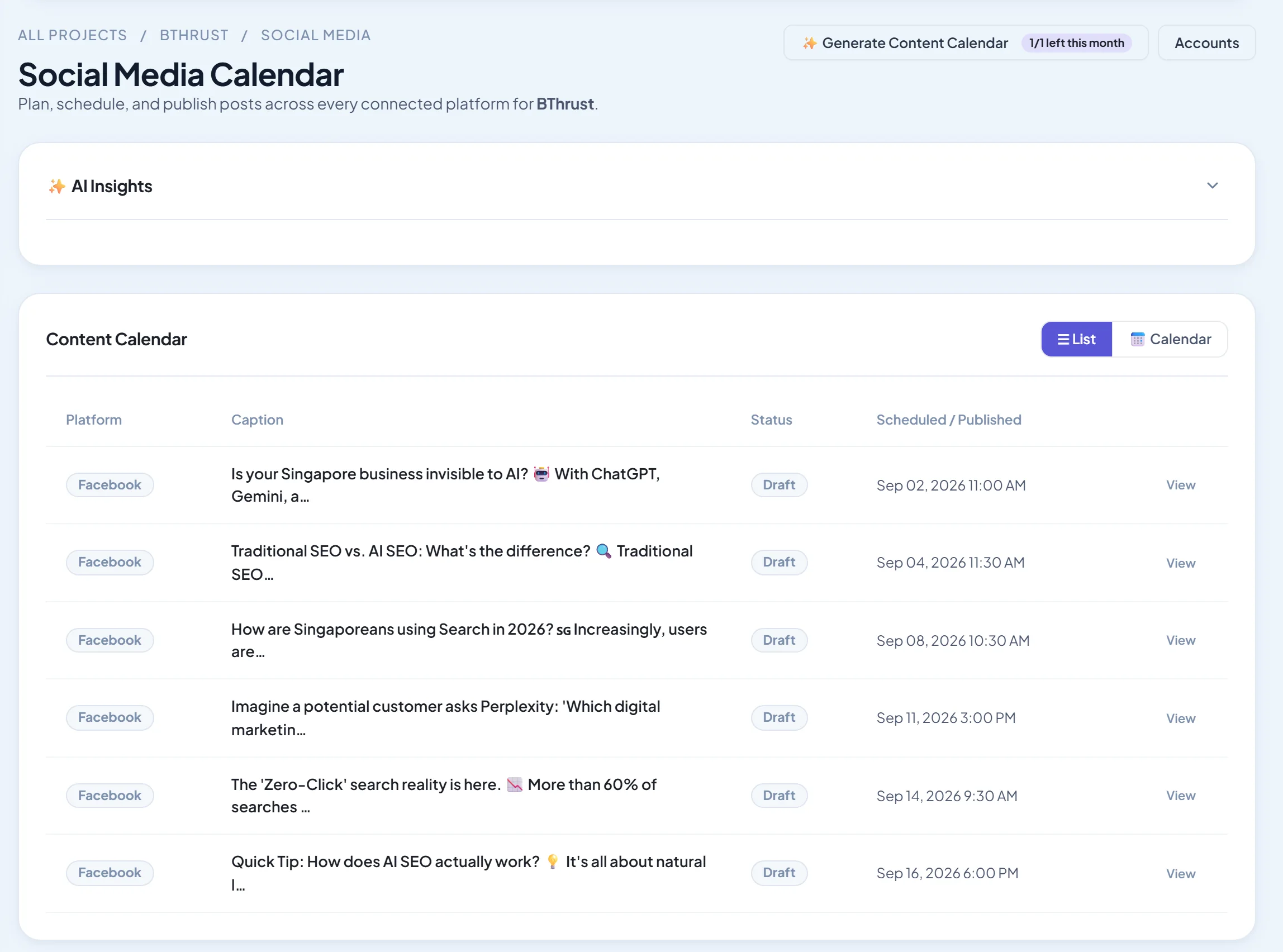
- Publish now or schedule to Facebook, Instagram and LinkedIn.
- A content calendar with list and month views, and a post editor with photo and video.
- An AI monthly content calendar (Gemini) to draft a month of posts.
- Facebook and Instagram analytics.
- Client role, sign-offs and approvals, tasks and chat in the same project.
Pricing: Social plans from $39/month, Agency $99; 14-day free trial. See plans.
Pros: social in the same report as SEO and Ads; AI month plans; affordable agency tier.
Cons: no TikTok, X, YouTube or Pinterest publishing; no engagement inbox or social listening.
4. Sendible: best white-label
Verdict: built for agencies, with a fully rebrandable dashboard on higher plans.
Pros: white-label; client approvals; value.
Cons: analytics are less advanced than Sprout's.
5. Hootsuite: best known all-rounder
Verdict: broad network support, an AI writer and a large app ecosystem.
Pros: breadth; integrations.
Cons: pricing has risen; the interface feels busy.
6. SocialPilot: best budget for many clients
Verdict: affordable scheduling for many accounts, with client management and white-label reports.
Pros: price per profile; client features.
Cons: lighter engagement tools.
7. Vista Social: best modern feature set
Verdict: a newer platform with wide network support and agency features.
Pros: features for the price.
Cons: a younger brand.
8. Loomly: best for content planning
Verdict: calendar-led planning with post ideas and approvals.
Pros: planning; ease.
Cons: limited analytics.
9. Planable: best approval workflow
Verdict: the clearest client feedback and approval experience.
Pros: approvals; collaboration.
Cons: light analytics.
10. Buffer: best simple scheduler
Verdict: clean, simple scheduling, best for small agencies with few clients.
Pros: ease; free plan.
Cons: limited agency features.
A client approval workflow that works
- Draft the month's posts by the 20th of the previous month.
- Internal review: an account manager checks brand, links and spelling.
- Client approval: send one link with the whole month, and ask for approval or comments within 3 working days.
- Auto-approve rule: agree in the contract that posts with no feedback by the deadline are scheduled.
- Schedule and lock the calendar, with any late changes treated as exceptions.
More options are covered in our client approval tools guide.
Pricing social media management services
Most agencies price social on posts per month, networks, and extras such as community management, paid social and reporting. Package it in tiers (for example 12, 20 or 30 posts a month on two or three networks), and charge for community management separately because it scales with audience size. Cover your tool cost per client and the hours for content creation, approvals and reporting before adding margin.
More social media guides
- Social media scheduling tools
- Content calendar tools
- AI social media post generators
- LinkedIn scheduling tools
- Instagram and Facebook schedulers
- Instagram analytics tools
- Social media tools for small businesses
- Free social media schedulers
- All-in-one marketing platforms for agencies
Frequently asked questions
What tool do social media agencies use?
Sprout Social, Agorapulse, Sendible, Hootsuite and SocialPilot are the most common. Agencies that also sell SEO and Ads often use an all-in-one platform such as SEO Runway for social on the main networks.
How do agencies get client approval on posts?
Through approval workflows in their social tool: the client gets a link or login, reviews the month's posts, and approves or comments before anything is scheduled.
How many clients can one social media manager handle?
Typically 5–15, depending on posting volume, community management and how many networks each client uses.
Do I need a separate tool for social media reporting?
Not usually. Most agency social tools include branded reports. Use a separate reporting tool if clients want social combined with many other channels.
Can one tool publish to every network?
Most agency tools cover the major networks, but support for TikTok, YouTube and Pinterest varies. Check the networks your clients use before choosing.
The bottom line
- Agencies wanting the most complete social suite: Sprout Social.
- Agencies wanting agency features at a better price: Agorapulse.
- Agencies selling social with SEO, local and Ads on Facebook, Instagram and LinkedIn: SEO Runway.
- White-label first: Sendible.
- Many clients on a budget: SocialPilot.
Start a 14-day free trial of SEO Runway and plan a client's month of posts with AI, or see the social media workspace.