Short answer: Buffer is the easiest social media tool for small businesses. SEO Runway is the best fit for local businesses that want social posting (Facebook, Instagram, LinkedIn) with AI-planned months, alongside local SEO, Google Maps tracking and review monitoring. Meta Business Suite is free for Facebook and Instagram, and Canva makes design easy.
Disclosure: SEO Runway is our product. We ranked it using the same criteria as every other tool, and noted where others do better.
Quick picks
- Easiest: Buffer
- Best social + local SEO + reviews: SEO Runway
- Best free: Meta Business Suite
- Best design: Canva
- Best value: Publer
Social media tools for small businesses compared
| Tool | Ease | From | AI help | Templates | Local extras |
|---|---|---|---|---|---|
| Buffer | Very easy | Free / ~$6/channel* | Yes | No | No |
| SEO Runway | Easy | $39 (Social), $19 (Local) | AI month plan | No | Local SEO, reviews, review QR codes |
| Meta Business Suite | Easy | Free | Limited | No | No |
| Canva | Very easy | Free / ~$15* | Magic Write | Thousands | No |
| Later | Easy | ~$25* | Yes | No | No |
| Publer | Moderate | Free / ~$12* | Yes | No | No |
| Metricool | Moderate | Free / ~$22* | Yes | No | GBP posting* |
| SocialBee | Moderate | See site* | Yes | Categories | GBP posting* |
| Hootsuite | Moderate | ~$99* | OwlyWriter | Some | No |
| Loomly | Easy | See site* | Ideas | Ideas | No |
*Approximate; verify.
How we chose these tools
We compared each tool's published features, plans and documentation on five criteria: ease of use, price under about $50 a month, templates, AI help, and features useful to local businesses.
1. Buffer: easiest
Verdict: simple scheduling a busy owner can learn in minutes.
Pros: ease; free plan.
Cons: no local features.
2. SEO Runway: best social + local SEO + reviews
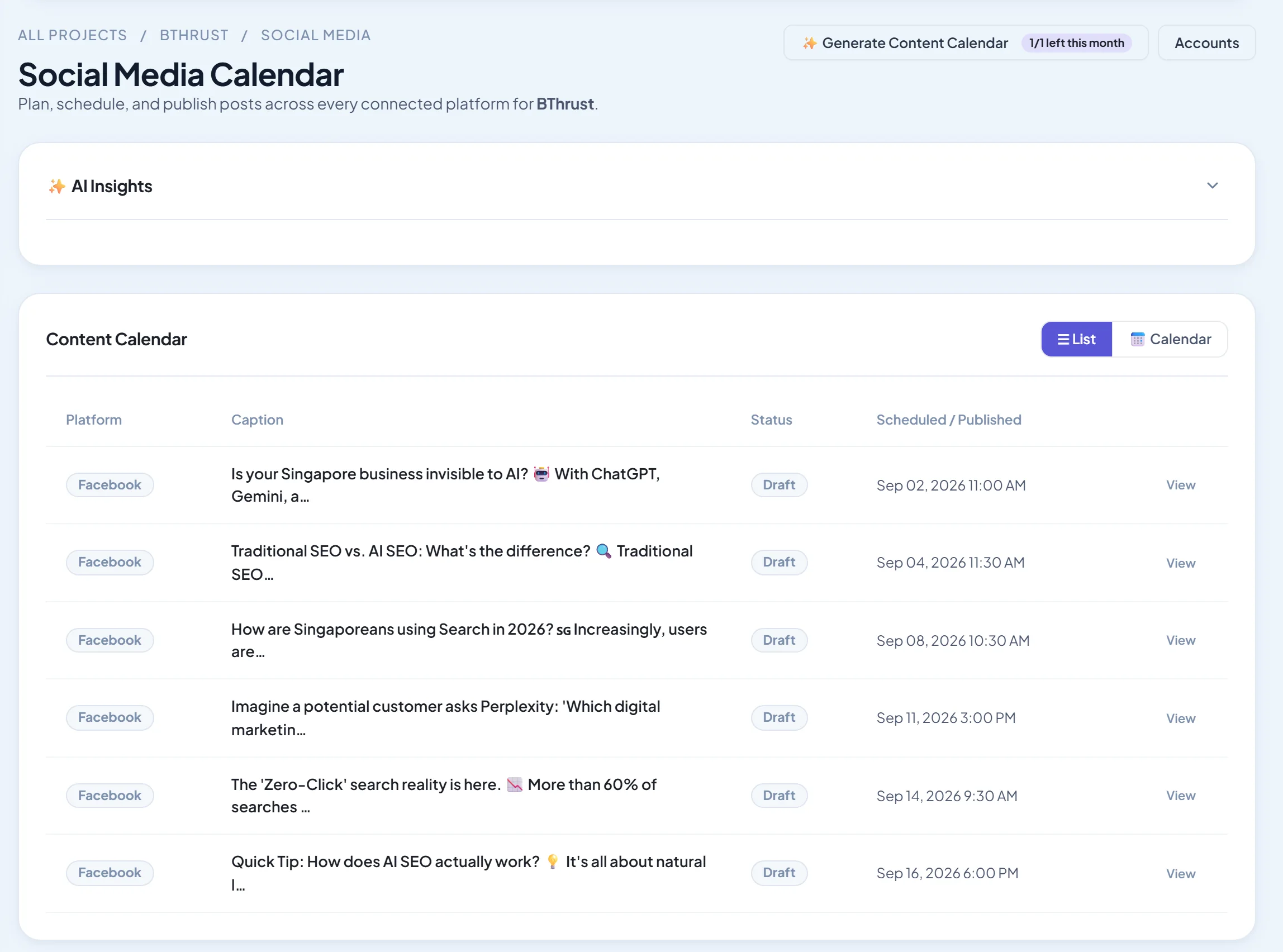
Verdict: plan a month of posts with AI, publish to Facebook, Instagram and LinkedIn, and in the same place track your Google Maps rankings, audit citations, monitor reviews and print review-request QR codes.
Pricing: Social from $39/month and Local SEO from $19/month; 14-day free trial. See plans.
Pros: local marketing in one place; AI does the planning.
Cons: no TikTok; no Google Business Profile posting yet.
3. Meta Business Suite: best free
Verdict: free scheduling for Facebook and Instagram.
Pros: free.
Cons: Meta only.
4. Canva: best design
Verdict: templates for every post type, with scheduling built in.
Pros: design ease.
Cons: scheduling is basic.
5. Later: best for Instagram-first shops
Verdict: visual planning for product-led businesses.
Pros: visuals.
Cons: post limits.
6. Publer: best value
Verdict: many features for a low price.
Pros: value.
Cons: busy interface.
7. Metricool: best free analytics
Verdict: scheduling and analytics with a free plan.
Pros: analytics.
Cons: limits.
8. SocialBee: best for evergreen posting
Verdict: category queues that recycle evergreen posts.
Pros: saves time.
Cons: setup.
9. Hootsuite: best for growing teams
Verdict: more power as you grow.
Pros: breadth.
Cons: price for small businesses.
10. Loomly: best for post ideas
Verdict: suggestions for what to post.
Pros: ideas.
Cons: cost per user.
30 post ideas for local businesses
- Meet the team
- Behind the scenes
- Customer of the week
- Before and after
- A quick tip
- An FAQ answered
- New product or service
- A limited-time offer
- A local event you're attending
- Shout-out to a neighbouring business
- A review screenshot
- How it's made
- A day in the life
- Seasonal reminder
- Myth vs fact
- Your story
- A workspace tour
- A poll
- A milestone
- Charity or community work
- A "this or that" question
- A staff favourite
- Holiday hours
- A how-to video
- A customer question
- A local landmark photo
- A throwback
- A giveaway (follow platform rules)
- A thank-you post
- A "book now" reminder
Related guides
Prefer to hire an expert? See the best social media agencies in your city: [link to the matching published agency listicle].
Frequently asked questions
How often should a small business post?
Three to five times a week on your main platform is a good target. Consistency matters more than volume.
Which platforms should a local business use?
Usually Facebook and Instagram for consumers, LinkedIn for B2B, and your Google Business Profile for local searchers. Choose where your customers spend time.
Can I manage social media myself?
Yes, with a scheduler and an hour or two a week. AI planning tools reduce that further.
The bottom line
- Easiest: Buffer.
- Local businesses wanting social, local SEO and reviews in one place: SEO Runway.
- Free: Meta Business Suite plus Canva.
Start a 14-day free trial of SEO Runway, or see the social media workspace.