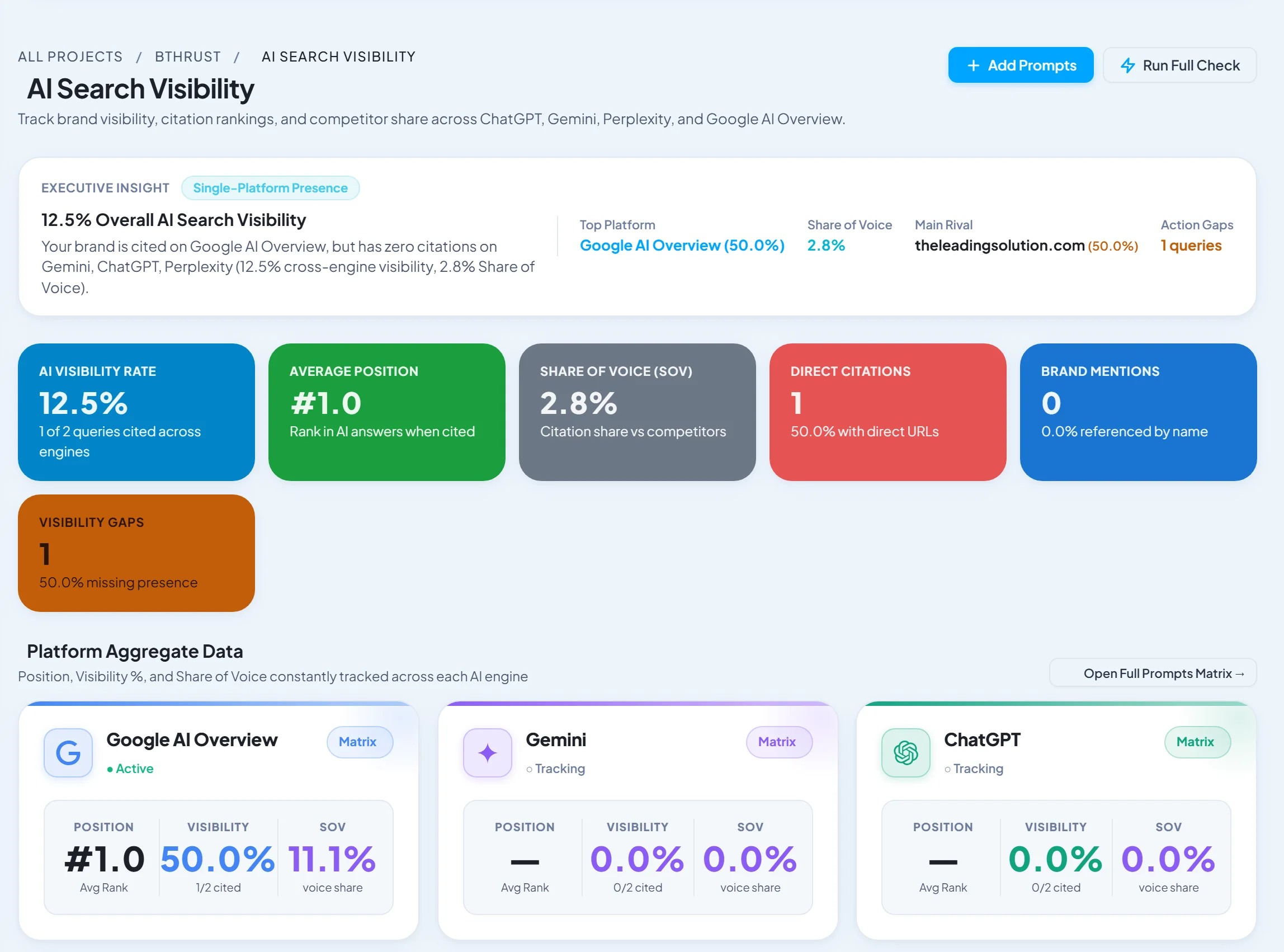

Short answer: AgencyAnalytics is the best client reporting tool for agencies that report many channels from many platforms, with 80+ connectors and a full client portal. SEO Runway is the best choice if your services are SEO, AI search, local, Google Ads and social on Facebook, Instagram and LinkedIn: reports come straight from the project where you do the work, with nothing to connect. Whatagraph produces the most polished visual reports. If your reports are mostly SEO, see our white-label SEO reporting tools.
Disclosure: SEO Runway is our product. We ranked it using the same criteria as every other tool, and noted where others do better.
Quick picks
- Most connectors and best portal: AgencyAnalytics
- Best platform-native reports (no connectors): SEO Runway
- Most visual reports: Whatagraph
- Simplest setup: DashThis
- Best free: Looker Studio
Client reporting tools compared
| Tool | Data sources | Cross-channel | Automation | White-label | AI summaries | From |
|---|---|---|---|---|---|---|
| AgencyAnalytics | 80+ connectors | Yes | Scheduled | Full + portal | Yes | ~$79* |
| SEO Runway | Own data: SEO, AI search, local, Ads, social, GSC/GA4 | Yes (own modules) | Scheduled | Logo + share link + client role | AI audit plans | $49 |
| Whatagraph | Many connectors | Yes, blending | Scheduled | Full | Yes | See site* |
| DashThis | Many connectors | Yes | Scheduled | Full | Check | ~$49* |
| Swydo | PPC-led connectors | Yes | Scheduled | Full | Check | See site* |
| NinjaCat | Many connectors | Yes | Yes | Full | Yes | Sales-led* |
| Databox | Many connectors | Yes | Scheduled | Higher plans | Yes | Free plan* |
| Looker Studio | Google + partner connectors | Yes | Email schedule | Manual | No | Free |
| Supermetrics | Data pipelines | Via destination | Yes | Via destination | No | See site* |
| Reportz | SEO/PPC connectors | Yes | Scheduled | Yes | Check | See site* |
*Approximate; verify.
How we chose these tools
We compared each tool's published features, plans and documentation on six criteria: connectors or data sources; cross-channel views; automation and scheduling; white-label branding and client access; commentary and AI summaries; and price at 10 clients.
1. AgencyAnalytics: most connectors and best portal
Verdict: the reporting platform built for marketing agencies, with broad coverage and a polished client portal.
Key features: 80+ integrations; drag-and-drop dashboards; automated reports; custom-domain white-label; client logins; AI summaries.
Pros: breadth; portal; agency focus.
Cons: per-client pricing grows with your client list; analysis depth is limited to what the connectors provide.
2. SEO Runway: best platform-native reports
Verdict: client reports built from the data you already collect in the project (rankings, audit, Search Console and GA4, AI visibility, local geo-grids, Google Ads and social), so there are no connectors to buy or fix.
Best for: agencies whose services run inside SEO Runway.
Key features: white-label reports with your logo; scheduled delivery; a client share link; a client role that sees deliverables and reports only; tasks and approvals in the same project.
Pricing: from $49/month (Core SEO), with modules added as you sell them; 14-day free trial. See plans.
Pros: no connector costs or breakage; reports always match the work; AI visibility included.
Cons: can't pull in outside channels such as Meta Ads, email or CRM data; branding is lighter than the dedicated tools.
3. Whatagraph: most visual reports
Verdict: attractive, blended cross-channel reports that clients enjoy reading.
Pros: design; data blending.
Cons: pricing suits mid-size agencies.
4. DashThis: simplest setup
Verdict: templates and connectors that produce clean dashboards in minutes.
Pros: ease.
Cons: priced per dashboard.
5. Swydo: best for PPC-heavy agencies
Verdict: strong paid-media reporting and monitoring.
Pros: PPC depth; templates.
Cons: lighter on SEO.
6. NinjaCat: best for large agencies
Verdict: enterprise-grade data and reporting for agencies at scale.
Pros: scale; data management.
Cons: sales-led pricing.
7. Databox: best for KPI goals
Verdict: KPI dashboards, goals and alerts.
Pros: goal tracking; free plan.
Cons: white-label on higher tiers.
8. Looker Studio: best free
Verdict: free, flexible dashboards for teams with time to build them.
Pros: free; customisable.
Cons: maintenance; no portal; paid connectors for non-Google data.
9. Supermetrics: best data pipeline
Verdict: moves marketing data into Looker Studio, Sheets or a warehouse for custom reporting.
Pros: flexibility.
Cons: you build the reports yourself.
10. Reportz: best budget SEO/PPC dashboards
Verdict: affordable dashboards for SEO and PPC data.
Pros: price.
Cons: fewer connectors.
A multi-channel report template
- Executive summary: three lines on results, why, and next.
- Business outcomes: leads, sales or calls, by channel.
- Organic search: traffic, rankings and AI visibility.
- Local (if relevant): map visibility and reviews.
- Paid search: spend, conversions, cost per conversion and wasted spend removed.
- Social: reach, engagement and top posts.
- Work completed and the plan for next month.
Related guides
Frequently asked questions
How do agencies automate client reporting?
They build one template per service, connect each client's data (or use a platform that already holds it), schedule delivery for a fixed date, and add a short written commentary before reports go out.
What should a marketing report include?
Business outcomes first (leads, sales, calls), then channel results, work completed and next steps. Keep detailed tables in an appendix.
Are AI report summaries reliable?
They're a useful first draft. Always check numbers and add context the AI can't know, such as campaign changes or seasonality.
Connector-based or platform-native reports: which is better?
Connector-based tools cover more channels. Platform-native reports cost less and break less, and they work best when most of your services run in that platform.
How long should a client report be?
Most clients read one or two pages. Lead with a summary and outcomes, and offer a live dashboard or share link for the detail.
The bottom line
- Agencies reporting many outside channels: AgencyAnalytics.
- Agencies delivering SEO, AI search, local, Ads and social in one platform: SEO Runway.
- Presentation-focused agencies: Whatagraph.
- Simplest setup: DashThis.
- Zero budget: Looker Studio.
Start a 14-day free trial of SEO Runway and send your first branded client report, or see the agency hub.