Short answer: Optmyzr is the most complete Google Ads management tool for PPC specialists. SEO Runway is the best fit for businesses and agencies that run Google Ads beside SEO: you manage campaigns, keywords and budgets in-app, mine search terms for waste and apply Gemini audit fixes in one click. Opteo is the easiest recommendation tool, and Google Ads Editor is the free standard for bulk changes.
Disclosure: SEO Runway is our product. We ranked it using the same criteria as every other tool, and noted where others do better.
Quick picks
- Most complete for PPC specialists: Optmyzr
- Best Ads + SEO in one platform: SEO Runway
- Easiest to use: Opteo
- Best free tool: Google Ads Editor
- Best for enterprise: Marin Software
Google Ads management tools compared
| Tool | In-app editing | Automation / rules | AI recommendations | One-click apply | Reporting | Pricing model |
|---|---|---|---|---|---|---|
| Optmyzr | Yes | Rule Engine, scripts | Yes | Yes | Yes | Tiered by spend, ~$209+* |
| SEO Runway | Campaigns, ad groups, keywords, budgets, status | Search-term mining | Gemini audit | Yes | White-label, with SEO | Flat, from $29 |
| Opteo | Partial | Alerts | Yes | Yes | Yes | Flat tiers, ~$129+* |
| Adalysis | Partial | Yes | Yes | Partial | Yes | Tiered, ~$149+* |
| Google Ads Editor | Bulk, offline | No | No | No | No | Free |
| WordStream | Partial | Workflow | Yes | Partial | Yes | See site* |
| Semrush Advertising Toolkit | No | No | Research-led | No | Yes | Semrush plans* |
| SpyFu | No | No | Competitor-led | No | Yes | ~$39* |
| Adzooma | Partial | Yes | Yes | Yes | Yes | Free plan* |
| Marin Software | Yes | Yes | Yes | Partial | Enterprise | % of spend / sales-led* |
*Approximate; verify.
How we chose these tools
We compared each tool's published features, plans and documentation on six criteria:
- Campaign, keyword and budget management without switching to the Google Ads interface.
- Automation and rules for repetitive jobs.
- Recommendations that explain their reasoning.
- Reporting for owners or clients.
- Ease of use for non-specialists.
- Pricing model: flat fee or percentage of spend.
1. Optmyzr: most complete for PPC specialists
Verdict: the deepest toolkit for managing and optimising Google and Microsoft Ads at scale.
Key features: one-click optimisations; Rule Engine; budget pacing; audits; shopping and PMax tools; reports.
Pros: depth; automation; multi-platform.
Cons: a learning curve; price rises with spend.
2. SEO Runway: best Google Ads management next to SEO
Verdict: manage Google Ads in the same project as your SEO, local and AI search, with AI doing the analysis and changes written back to Google Ads.
Best for: small businesses, in-house marketers and agencies who run Ads alongside SEO and don't need a specialist's rule engine.
Key features:
- OAuth connection to your Google Ads account.
- Campaigns, ad groups, keywords, budgets and status managed in-app and written back to Google Ads.
- Search-term mining for wasted spend and negative keywords.
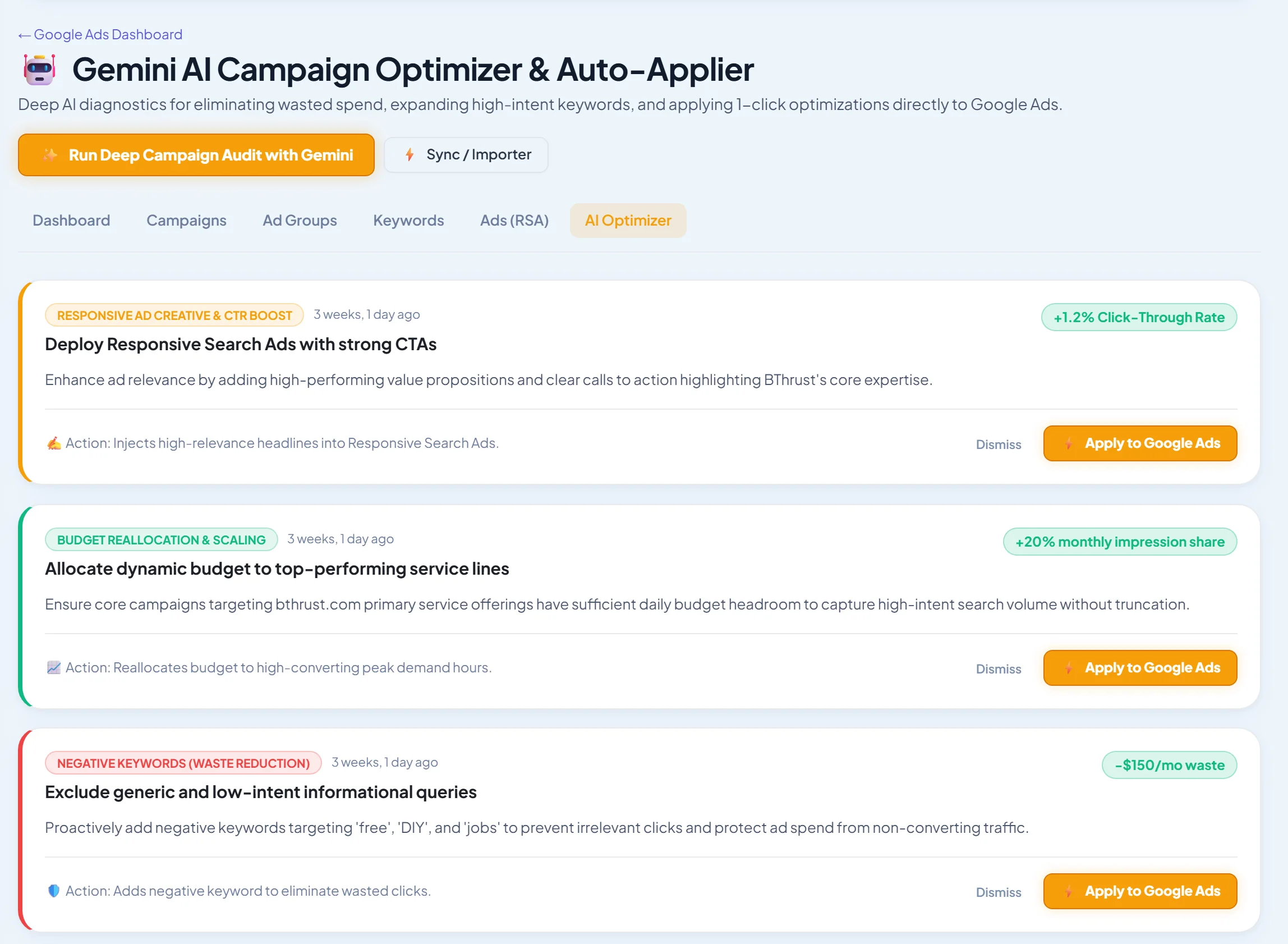
- Gemini campaign audits with one-click apply.
- AI RSA copy: 5 headlines and 3 descriptions per request.
Pricing: Google Ads plans from $29/month, flat; 14-day free trial. See plans.
Pros: Ads and SEO in one report; plain-English AI audits; flat pricing.
Cons: no Microsoft Ads; no custom rule engine or scripts; fewer shopping and PMax-specific tools than Optmyzr.
3. Opteo: easiest to use
Verdict: clear, prioritised improvements you can push live in a click.
Pros: ease of use; impact estimates; alerts.
Cons: less flexible for complex accounts.
4. Adalysis: best for ad testing
Verdict: strong ad testing, quality score tools and automated audits.
Pros: ad testing rigour.
Cons: a dated interface.
5. Google Ads Editor: best free bulk editor
Verdict: Google's free desktop app for bulk, offline edits.
Pros: free; fast bulk changes.
Cons: no recommendations, automation or reports.
6. WordStream: best guided workflow for small businesses
Verdict: a guided optimisation workflow aimed at small advertisers.
Pros: simple guidance.
Cons: less depth for experts.
7. Semrush Advertising Toolkit: best for competitor research
Verdict: competitor ads, keywords and landing pages, but no account management.
Pros: research depth.
Cons: can't edit or optimise your account.
8. SpyFu: best budget competitor PPC research
Verdict: long competitor ad histories at a low price.
Pros: price; history.
Cons: US-centric data; no account management.
9. Adzooma: best free plan
Verdict: automated opportunities and rules with a free tier.
Pros: accessible.
Cons: lighter analysis.
10. Marin Software: best for enterprise advertisers
Verdict: enterprise cross-channel bid management.
Pros: scale; cross-channel.
Cons: enterprise pricing and complexity.
Flat-fee vs percentage-of-spend pricing
Some tools charge a flat monthly fee; others charge a percentage of ad spend or tier their price by spend. Percentage pricing looks cheap for small accounts but grows with every budget increase, even when the work doesn't. As a rule of thumb, flat fees win once monthly spend passes a few thousand dollars. Work out the annual cost at next year's expected budget, not today's.
A weekly Google Ads routine (30 minutes)
- Search terms: add negatives for irrelevant queries and promote winners to keywords.
- Budgets: check pacing, and move budget from limited low performers to capped winners.
- Conversions: confirm tracking still fires and conversion counts look normal.
- Ads: pause clear losers and add new headlines to test.
- Recommendations: review Google's and your tool's suggestions, and apply only what makes sense.
More Google Ads guides
- Google Ads tools for agencies
- PPC audit tools (including AI audits)
- Negative keyword tools
- AI ad copy generators for RSAs
- Google Ads reporting tools
- Free Google Ads tools
- All-in-one marketing software for small businesses
Frequently asked questions
Do I need a Google Ads management tool?
Not for a single small campaign. A tool pays for itself once you manage several campaigns, spend more than you can review by hand, or need reports and audits regularly.
Optmyzr vs Opteo: which is better?
Optmyzr is deeper and more customisable, which suits PPC specialists and agencies. Opteo is simpler and quicker to act on, which suits smaller teams.
Is Google Ads Editor enough?
For bulk editing, yes. It doesn't recommend changes, find wasted spend or produce reports, so most teams pair it with an optimisation tool.
Can I manage Google Ads and SEO in one tool?
Yes. SEO Runway manages Google Ads campaigns in the same project as SEO, local and AI search, with one white-label report.
Are Google's own recommendations reliable?
Some are useful, but many aim to increase spend. Review each one, and turn off auto-apply for anything that changes bids, budgets or keywords.
The bottom line
- PPC specialists and large accounts: Optmyzr.
- Businesses and agencies running Ads beside SEO: SEO Runway.
- Small teams wanting simple recommendations: Opteo.
- Bulk edits on a zero budget: Google Ads Editor.
- Enterprise cross-channel: Marin Software.
Start a 14-day free trial of SEO Runway and connect your Google Ads account, or see the Google Ads workspace.