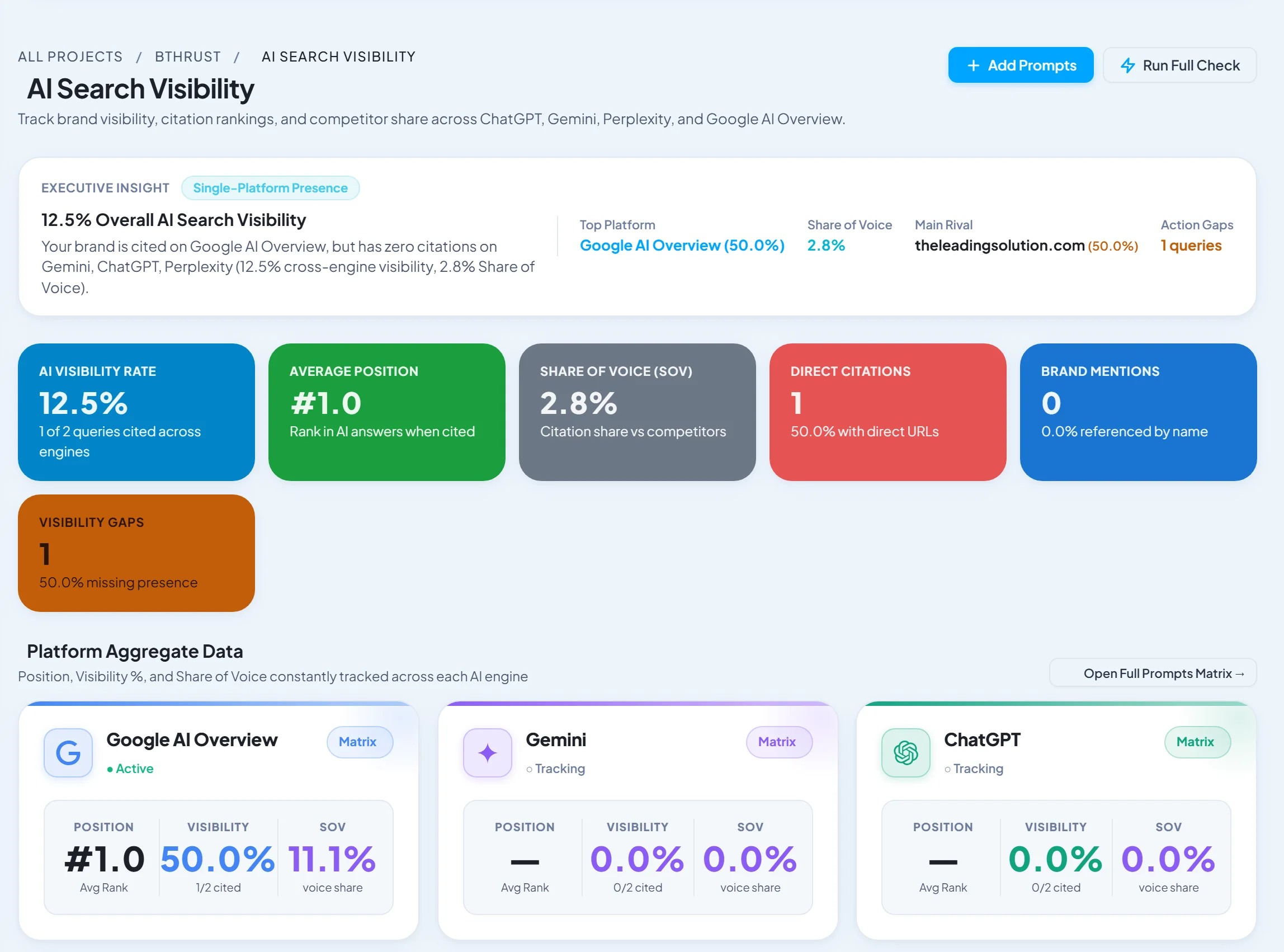
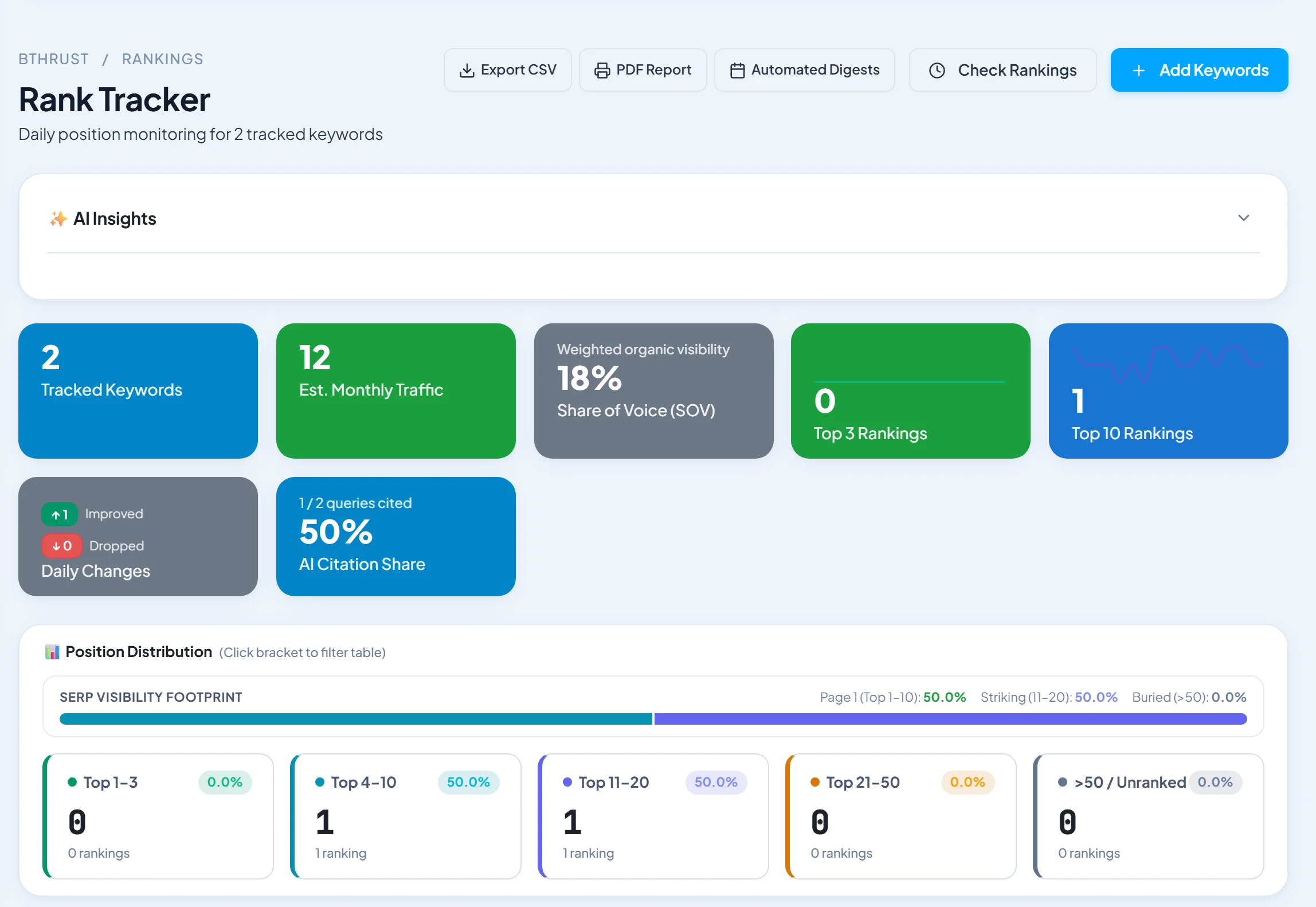
Short answer: SEO Runway is the best SEO dashboard if you want Search Console, GA4, rank tracking and site audit data in one project without building anything. Looker Studio is the best free, fully customisable option if you have time to build and maintain it. Databox is best for KPI goals and alerts. For client-facing reports, see our white-label SEO reporting tools.
Disclosure: SEO Runway is our product. We ranked it using the same criteria as every other tool, and noted where others do better.
Quick picks
- Best ready-made SEO dashboard: SEO Runway
- Best free: Looker Studio
- Best for KPI goals: Databox
- Best multi-channel: AgencyAnalytics
- Best Search Console depth: SEOTesting
SEO dashboard tools compared
| Tool | GSC + GA4 | Rank / audit data | Templates | Refresh | Sharing | From |
|---|---|---|---|---|---|---|
| SEO Runway | Yes | Built in | Ready-made | [verify] | Share link, client role | $49 |
| Looker Studio | Yes | Via connectors | Community | Live / cached | Share link | Free |
| Databox | Yes | Via connectors | Yes | Plan-based | Yes | Free plan* |
| AgencyAnalytics | Yes | Own rank tracker | Yes | Daily | Portal | ~$79* |
| DashThis | Yes | Via connectors | Yes | Daily | Share link | ~$49* |
| Whatagraph | Yes | Via connectors | Yes | Plan-based | Share link | See site* |
| SEOTesting | GSC (+GA4) | No | Reports | Daily | Check | See site* |
| Semrush | Yes (integrations) | Built in | Yes | Daily | Yes | ~$139* |
| Supermetrics | Yes | Via sources | Templates | Scheduled | Via destination | See site* |
| Swydo | Yes | Via connectors | Yes | Daily | Share link | See site* |
*Approximate; verify.
How we chose these tools
We compared each tool's published features, plans and documentation on six criteria: Search Console and GA4 connections, rank and audit data alongside, templates, data refresh rate, sharing, and price.
1. SEO Runway: best ready-made SEO dashboard
Verdict: Search Console and GA4 in one dashboard, with rank tracking, site health, keyword cannibalization detection and AI visibility in the same project. No building or connectors to maintain.
Pricing: Core SEO from $49/month; 14-day free trial. See plans.
Pros: ready-made; all SEO data in one place; shareable.
Cons: less layout customisation than Looker Studio; SEO channels only.
2. Looker Studio: best free
Verdict: free, flexible dashboards with native GSC and GA4 connectors.
Pros: free; custom.
Cons: build and maintenance time; slow with large data.
3. Databox: best for KPI goals
Verdict: KPI scorecards, goals and alerts across tools.
Pros: goals; mobile app.
Cons: SEO depth depends on sources.
4. AgencyAnalytics: best multi-channel
Verdict: SEO alongside many marketing channels.
Pros: breadth.
Cons: per-client pricing.
5. DashThis: simplest setup
Verdict: prebuilt SEO templates in minutes.
Pros: ease.
Cons: per-dashboard pricing.
6. Whatagraph: best visuals
Verdict: attractive, blended SEO dashboards.
Pros: design.
Cons: price.
7. SEOTesting: best Search Console depth
Verdict: long-term GSC storage and analysis.
Pros: GSC insights.
Cons: no rank or audit data.
8. Semrush: best for Semrush users
Verdict: GA and GSC integrations next to Semrush data.
Pros: integrated.
Cons: cost.
9. Supermetrics: best data pipeline
Verdict: moves GSC and GA4 data into Sheets, Looker Studio or a warehouse.
Pros: flexibility.
Cons: you build the dashboards.
10. Swydo: best for PPC + SEO
Verdict: combined paid and organic dashboards.
Pros: PPC depth.
Cons: fewer SEO-only features.
The 8 KPIs an SEO dashboard should show
- Organic clicks (Search Console)
- Impressions (Search Console)
- Average CTR, by page and query
- Organic conversions (GA4)
- Rankings for priority keywords
- Visibility or share of voice
- Site health score (audit)
- AI visibility: mentions and citations in AI answers
Compare each with the previous period and the same period last year to separate trends from seasonality.
Related guides
Frequently asked questions
What should an SEO dashboard include?
Organic clicks, impressions, CTR, conversions, priority keyword rankings, visibility, site health and, increasingly, AI visibility, each compared with previous periods.
Is Looker Studio good for SEO dashboards?
Yes, if you're comfortable building and maintaining it. It's free and flexible, but it can be slow, and third-party data needs paid connectors.
Can I combine GA4 and Search Console in one view?
Yes. SEO Runway, Looker Studio, Databox and most dashboard tools combine both.
What's the difference between a dashboard and a report?
A dashboard is a live view for monitoring. A report is a periodic summary with commentary for a client or manager.
The bottom line
- Ready-made SEO dashboard with rank and audit data: SEO Runway.
- Free and custom: Looker Studio.
- KPI goals: Databox.
- Multi-channel: AgencyAnalytics.
Start a 14-day free trial of SEO Runway, connect GSC and GA4 in minutes, or see the SEO workspace.